


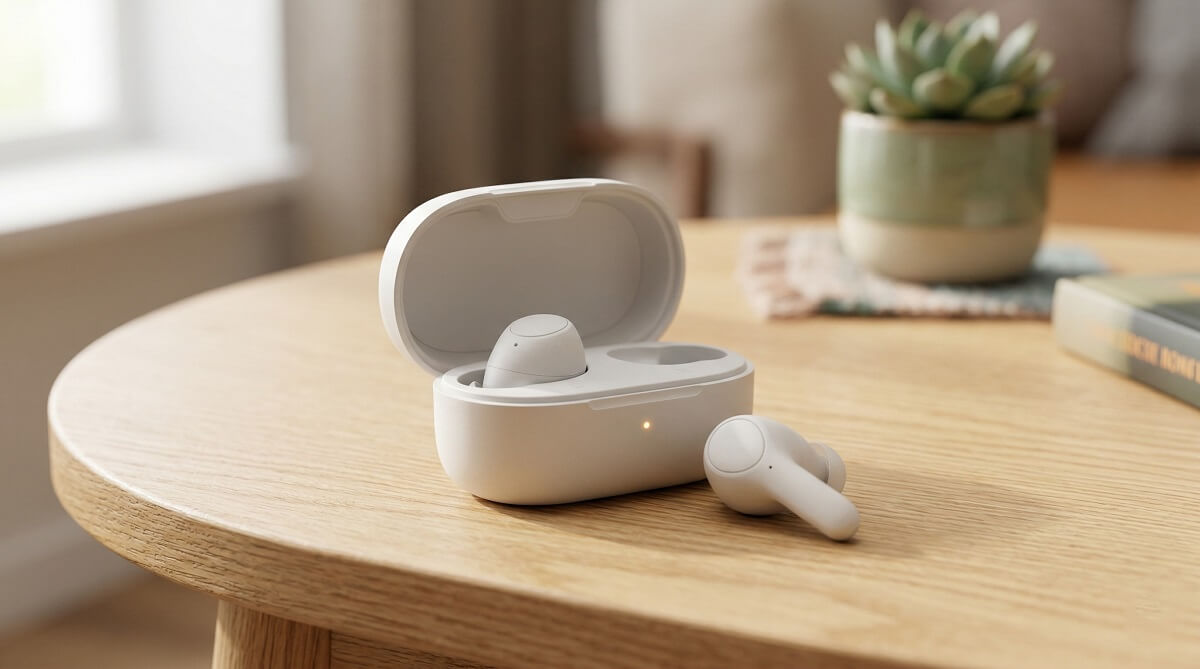
Most people shopping for wireless earbuds are really making two decisions: which earbuds to buy, and which charging case to live with. The case determines how long you’ll go between hunts for an outlet. A solid pair of earbuds that runs for seven hours is fine for most days—but when you add a case that can top them off two or three more times, you’re suddenly looking at 28 to 35 hours of total runtime. That’s a real difference, and it’s worth paying attention to before you buy.
In 2026, standalone earbud battery life typically ranges from 7 to 11 hours per charge, with the case adding two to four full recharges on top of that, according to testing by NBC Select’s wireless earbuds roundup. The sweet spot for most people sits somewhere between 25 and 50 hours of combined battery. Below that, you’re reaching for a cable often. Above it, you’re probably paying for capacity you’ll never use. The other big variable: whether the case itself charges over a cable or wirelessly via Qi. That feature sounds small, but it changes your daily routine more than you’d expect.
This guide covers what actually matters in a charging case—battery capacity, charging speed, wireless charging, and build quality—along with the top options across budget, mid-range, and premium tiers, all with verified pricing and specs as of March 2026. If you want to skip straight to recommendations, jump to the budget picks, the mid-range picks, or the premium options. If you want to make a more informed decision, read on.
Quick Decision Guide
✅ Best For
- Commuters who want to charge in a bag pocket between trips
- Gym-goers who need something small and easy to grab between sets
- Anyone who regularly forgets to plug in overnight
- Remote workers who take calls throughout the day and need a reliable mic
- People already using a wireless charging pad who want their earbuds on it too
❌ Skip Wireless Earbuds With a Case If
- You prefer open-ear or bone conduction designs—those charge differently and rarely use a standard case
- You need 10+ hours from the earbuds alone before a top-off—check per-earbud runtime first
- You’re buying at the absolute floor (under $15)—those cases tend to fail before the earbuds do
What the Charging Case Actually Does (And Why It Matters)
The case isn’t just a carrying pouch with a USB port. It’s a portable battery that keeps your earbuds charged when you can’t plug in. Understanding a few key specs will help you read listings more accurately—and avoid being misled by inflated numbers.
Total Battery Life vs. Earbud-Only Battery Life
Earbud battery specs are usually listed two ways: the runtime per charge from the buds alone, and the total runtime when you factor in the case. A listing that says “10 + 30 hours” means the earbuds run for 10 hours on their own, and the case can recharge them three more full times—for a grand total of around 30 hours before both the earbuds and case are dead. That’s the number that actually matters for a full week of commuting.
Battery capacity in the case is measured in milliamp hours (mAh). Most earbuds draw somewhere between 40 and 60 mAh from the case per full charge. So a case rated at 400 mAh can realistically deliver about six to eight complete charges—though real-world output is a bit lower due to conversion losses. A 500 mAh case is noticeably better; a 300 mAh case is on the lean side. You’ll rarely see mAh listed prominently on retail pages, but it shows up in the full spec sheets.
If you’re also considering over-ear headphones, our cover those separately. For earbuds, the case is the part most people underestimate.
Wired vs. Wireless Charging Cases
USB-C is now the standard charging port for earbud cases, and that’s a good thing—it means one cable works for your phone, laptop, and earbuds. Avoid Micro-USB cases; they’re on older models and the connector is fragile. If you have older AirPods, you may have a Lightning case, though Apple moved to USB-C starting with AirPods Pro 2.
Wireless charging—specifically Qi—is the more interesting upgrade. A case with Qi support just sits on a charging pad without any cable. If you already have a wireless pad on your desk or nightstand (which most iPhone users and many Android users do), this feature is essentially free convenience. The price premium over a wired-only case usually runs $20 to $40, depending on the brand. At the mid-range level, it’s increasingly included by default. The Soundcore Liberty 4 NC, for example, includes wireless charging at a price point that was $150+ a few years ago.
Quick Charge: What “10 Minutes = 2 Hours” Actually Means
Quick charge on earbuds works by delivering a burst of power to the buds while they sit in the case for a few minutes. The result is meaningful: both the EarFun Air Pro 4 and the Soundcore P20i offer 10 minutes of case charging in exchange for two hours of playback. Apple’s AirPods Pro 3 go further—5 minutes in the case delivers a full hour. Sony’s WF-1000XM6 is more dramatic still: 3 minutes provides 45 minutes of listening time.
For most users, quick charge is a more practical day-to-day feature than a high total battery count. If you use your earbuds for a commute, toss them back in the case at your desk, and pull them out again later—you’ll almost never run into a dead case unless you forget to charge it for multiple days straight.
Case Size, Build, and How They’re Carried
Case bulk is something reviewers rarely emphasize, but it matters if you’re wearing slim pants or carrying a small bag. Budget earbuds like the P20i come in compact cases that drop easily into a jeans pocket. Premium models, including the Sony WF-1000XM6, tend to have larger cases to fit bigger earbuds. Bose offers an interesting option for their Ultra Open Earbuds: a $49 wireless charging case cover that clips onto a bag via carabiner and adds Qi charging while protecting the original case from scratches. It’s a niche solution, but illustrates how case design is increasingly a selling point on its own.
Materials run from standard ABS plastic (most affordable and mid-range cases) to matte polycarbonate blends on premium models. The difference in feel is real, but durability between price tiers is less dramatic than you’d expect—most cases can handle daily bag tossing just fine.
Key Specs to Compare Before You Buy
IP Rating (Water and Dust Resistance)
IPX4 is the baseline you want. It means the earbuds are protected from sweat and splashing water from any direction—enough for most workouts and rainy commutes. IPX5 steps that up slightly (higher water pressure resistance), and IPX7 means the buds can be submerged briefly in water (typically one meter for up to 30 minutes).
Most earbuds in 2026 land at IPX4 or IPX5. The TOZO T6 and a few other budget models claim IPX8, though independent testers note that this rating is applied differently across brands. For gym use, IPX4 is sufficient. For swimmers, look specifically for IPX7 or higher, and note that most cases are not water resistant even if the earbuds are.
Bluetooth Version
Bluetooth 5.0 and 5.3 are the most common versions you’ll find across 2026 models. The practical differences between them are small for everyday listening—range, stability, and power use all improve incrementally. Bluetooth 5.4 (found on the EarFun Air Pro 4) adds support for the LE Audio standard and LC3 codec, which improves audio over longer distances. Unless you’re specifically looking for multi-device connectivity or hearing aid support, any version above 5.0 is fine.
Active Noise Cancellation and Transparency Mode
ANC has become standard even at mid-range prices. The Soundcore Liberty 4 NC at around $57–$100 delivers Adaptive ANC 2.0 with up to 98.5% noise reduction—a figure that was unimaginable at that price tier two years ago. The EarFun Air Pro 4 at $89.99 pushes up to 50 dB of noise blocking. In TechRadar’s review of the Air Pro 4, testers found ANC performance comparable to models costing significantly more.
Transparency mode—sometimes called ambient mode—is the counterpart: it uses the earbuds’ mics to pipe in surrounding sound while music plays, so you can hear announcements or conversations without removing the buds. It’s included on most models that have ANC and is genuinely useful for commuters and runners who need situational awareness. Budget earbuds without ANC typically skip transparency mode too.
If noise cancellation is your top priority, our also covers over-ear options that block more sound.
Fit: Ear Tips and Stability
Nearly every true wireless earbud includes three sizes of silicone ear tips (S/M/L). The medium tip works for most ears. If you’re buying for workouts, look for models that include sport fins or ear hooks—these anchor the bud against movement without needing a traditional over-ear hook design. The Soundcore Liberty 4 NC, for example, includes multiple ear tip sizes to optimize the seal, which also affects ANC performance.
Best Wireless Earbuds With Charging Case Under $50
The budget segment has improved dramatically. Spending under $50 no longer means sacrificing everything—just ANC and wireless charging. Here are two worth considering.
Soundcore P20i — Best Budget Overall (~$20–$25)
The P20i is the most straightforward recommendation in this tier. At roughly $19.98 to $25 on Amazon (as of March 2026), you get 10 hours of playback per charge and 30 hours total with the case—a number that’s hard to find from any competitor at this price. Quick charge works: 10 minutes in the case returns 2 hours of listening time. The earbuds are IPX5 rated and pair over Bluetooth 5.3. No ANC, no wireless charging, and the built-in mics are adequate for calls but nothing more. The case is compact and fits easily in a jeans pocket.
- Battery: 10 hrs earbuds / 30 hrs total
- Quick charge: 10 min = 2 hrs
- ANC: No
- Wireless charging: No (USB-C)
- IP rating: IPX5
- Price: ~$20–$25 on Amazon
JLab Go Air Pop — Built-in Charging Cable (~$24)
The JLab Go Air Pop includes a built-in USB charging cable in the case lid—a genuinely useful feature if you regularly forget your cable. Total battery comes in at around 32 hours with the case. Sound quality and mic performance are competitive for the price, and it includes EQ presets through the JLab app. IPX4 rated.
- Battery: ~8 hrs earbuds / 32 hrs total
- ANC: No
- Wireless charging: No (built-in cable in case)
- IP rating: IPX4
- Price: ~$24 (check current pricing at Best Buy or Amazon)
What you give up under $50: ANC, wireless charging, premium audio codec support (LDAC). What you get: reliable Bluetooth, a protective case, solid total battery, and enough sound quality for podcasts, calls, and casual music listening.
Best Wireless Earbuds With Charging Case: $50–$150
This is where the biggest quality jumps happen. ANC becomes genuinely good, wireless charging cases appear, and total battery life extends well past 40 hours.
Soundcore Liberty 4 NC — Best Value in the Segment (~$57–$100)
The Liberty 4 NC is one of the more complete packages available under $100. The buds deliver 10 hours per charge (ANC off) or 8 hours with ANC running. Add the wireless charging case and you’re at 50 hours total (ANC off) or 40 hours with ANC active. The Adaptive ANC 2.0 system adjusts in real time to your ear canal and ambient environment, claiming up to 98.5% noise reduction—a figure backed by multiple independent testers. According to Soundcore’s official product page, this combines Hi-Res wireless audio via LDAC, six beamforming mics, multipoint Bluetooth, and IPX4 protection.
The case charges wirelessly on any Qi pad, which is the standout feature at this price. Regular pricing runs $79.99–$99.99, but Amazon frequently discounts it to the $56.99–$70 range. Worth checking current pricing before you buy.
- Battery: 8–10 hrs earbuds / 40–50 hrs total
- ANC: Yes — Adaptive ANC 2.0, up to 98.5% noise reduction
- Wireless charging: Yes (Qi)
- IP rating: IPX4
- Price: ~$57–$100 on Amazon
For a deeper look at how to evaluate ANC performance, our walks through what the decibel numbers actually mean in real environments.
EarFun Air Pro 4 — Best ANC + Battery Combo at $89.99
The Air Pro 4 is the model to beat in the $80–$100 range right now. Eleven hours of playtime per charge (ANC off) with 52 hours of combined runtime is genuinely excellent—more total endurance than most premium earbuds at twice the price. ANC uses the QuietSmart 3.0 system, rated up to 50 dB of reduction with adaptive sensing. Per EarFun’s official specs page, the case supports both Qi wireless and USB-C wired charging, with a 10-minute quick charge returning 2 hours of playback. IPX5 rated, Bluetooth 5.4, aptX Lossless support.
The trade-off is build quality—the case feels plasticky compared to Sony or Bose. Sound is detailed and well-balanced, though bass-heavy listeners may want more punch. At $89.99 on Amazon, it’s a strong pick for anyone prioritizing battery and ANC over premium fit and finish.
- Battery: 7.5–11 hrs earbuds / 35–52 hrs total
- ANC: Yes — QuietSmart 3.0, up to 50 dB
- Quick charge: 10 min = 2 hrs
- Wireless charging: Yes (Qi + USB-C)
- IP rating: IPX5
- Price: $89.99 on Amazon
Comparison Table
| Model | Price (Mar 2026) | Earbud Battery | Total (w/ Case) | ANC | Wireless Charging | IP Rating |
|---|---|---|---|---|---|---|
| Soundcore P20i | ~$20–$25 | 10 hrs | 30 hrs | No | No (USB-C) | IPX5 |
| JLab Go Air Pop | ~$24 | ~8 hrs | ~32 hrs | No | No (built-in cable) | IPX4 |
| Soundcore Liberty 4 NC | $57–$100 | 8–10 hrs | 40–50 hrs | Yes | Yes (Qi) | IPX4 |
| EarFun Air Pro 4 | $89.99 | 7.5–11 hrs | 35–52 hrs | Yes | Yes (Qi + USB-C) | IPX5 |
| Apple AirPods Pro 3 | $249 | 8 hrs (ANC on) | 24 hrs | Yes | Yes (MagSafe/Qi/USB-C) | IPX4 |
| Sony WF-1000XM6 | $329.99 | 8 hrs (ANC on) | 24 hrs | Yes | Yes (Qi) | IPX4 |
Pricing is as of March 2026. Check current listings before purchasing—these fluctuate regularly.
Frequently Asked Questions
How many hours of total battery life should I expect?
For most people, 25 to 35 hours combined (earbuds + case) is plenty. Heavy users—those wearing earbuds 6 to 8 hours daily—should look for 40 hours or more. The EarFun Air Pro 4 at 52 hours total (ANC off) and the Soundcore Liberty 4 NC at 50 hours are the standouts in the mid-range. Premium models like the AirPods Pro 3 and Sony XM6 offer only 24 hours total with ANC on—you’re paying for quality, not capacity.
Is wireless charging on earbuds worth it?
If you already use a Qi charging pad at home or at your desk, yes—it’s worth it and the convenience is real. You drop the case on the pad without thinking about it. If you don’t own a Qi pad, you’ll just use the cable, and the wireless option sits unused. At mid-range prices, it’s often included anyway, so you don’t need to make a hard trade-off. Below $50, it’s typically not available.
What does “true wireless” mean?
True wireless (TWS) means no wire between the two earbuds and no wire to your phone or audio source. Both buds connect independently via Bluetooth. The charging case is how they power up, not an active part of the audio chain. Older “wireless” earbuds had a small cable connecting the two buds even if they didn’t plug into your phone—those are not true wireless.
How long does it take to charge the case itself?
Typically 1 to 2 hours via USB-C cable, depending on case battery size. Wireless Qi charging tends to run slightly longer—closer to 2 to 3 hours. Quick charge on some cases means you can top off the case for 15 to 20 minutes and get useful additional capacity for the earbuds.
Can I use my earbuds while the case is charging?
Yes. The earbuds and the case charge independently. You can wear and use your earbuds while the case sits on a Qi pad or plugs into a USB-C cable. Just make sure the earbuds are fully seated in the case when you want them to charge—a loose fit is the most common reason earbuds don’t charge in their case.
What’s the difference between IPX4 and IPX7?
IPX4 means protected against splashing water from any direction—adequate for sweaty workouts and rain. IPX7 means the earbuds can be submerged in up to one meter of fresh water for up to 30 minutes. IPX7 matters if you swim or work in wet conditions. For most gym and commuter use, IPX4 is sufficient. Note that these ratings apply to the earbuds themselves; most charging cases have no water resistance rating.
What charging port should the case use?
USB-C is the current standard and what you should look for. Avoid Micro-USB cases—the connector is outdated and more fragile. Most earbuds released in 2025 and 2026 use USB-C. Apple’s older AirPods used Lightning, but AirPods Pro 2 and all newer models have switched to USB-C.
Do all wireless earbuds come with a charging case?
Nearly all true wireless (TWS) earbuds include a case—it’s not optional, since there’s no other way to charge them. The exception is some open-ear and bone conduction designs that charge via a cable or dock attached directly to the earpiece. If you’re shopping for standard in-ear earbuds, assume the case is included unless the listing says otherwise.
The Bottom Line
The case matters more than most buyers realize before they buy. When evaluating any pair of earbuds, look at the combined battery figure first, then check whether the case supports wireless charging and quick charge. If you’re on a tight budget, the Soundcore P20i at around $20–$25 delivers 30 hours combined and doesn’t cut corners on the basics. If you can stretch to $60–$90, the Soundcore Liberty 4 NC and EarFun Air Pro 4 add ANC and wireless charging to the package. Above $200, you’re in Apple and Sony territory, where the experience tightens and the trade-off shifts to ecosystem and audio quality over raw battery life.
Check out our for related picks, including portable chargers and cable organizers that pair well with true wireless setups.
Check current prices on Amazon or at Best Buy—deals on earbuds shift often, especially on mid-range models.
