


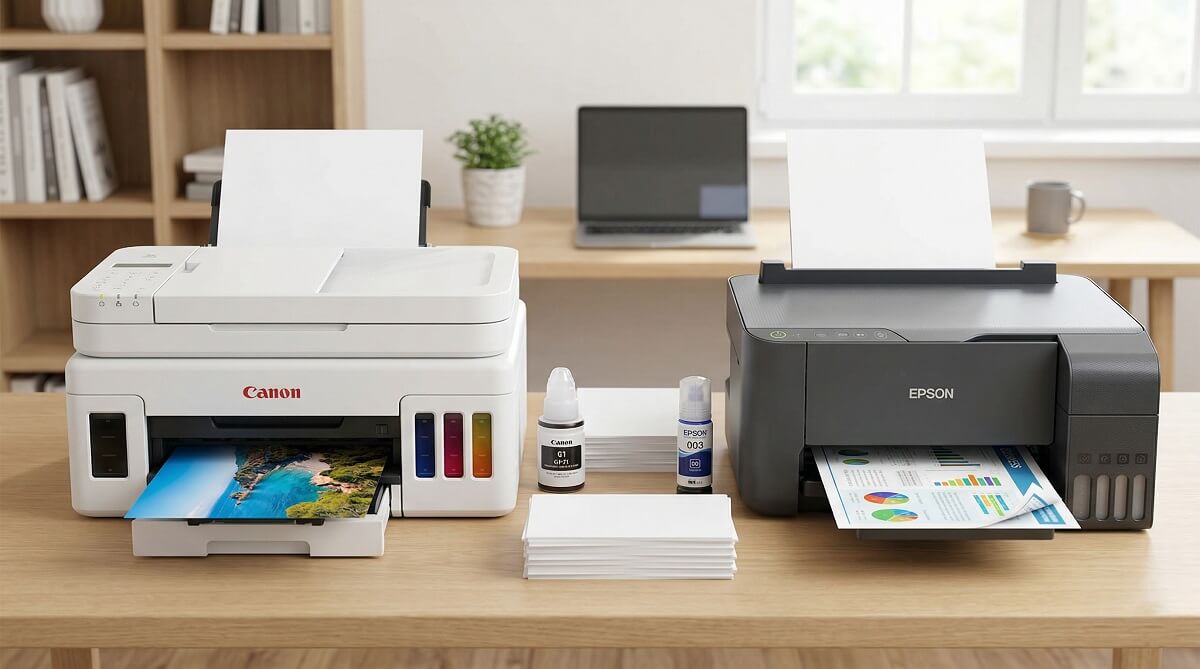
Canon has a clear edge for photo printing and scan speed. Epson’s ink tank models deliver a lower long-term cost per page and faster print speeds for documents. For most home users printing a mix of documents and occasional photos, either brand will serve you well — but the right pick comes down to what you print most and whether you’d rather save money upfront or over time.
Canon’s PIXMA G-series MegaTank and imageCLASS laser lineup give it more flexibility across use cases. The PIXMA G3270, for example, retails between $179 and $229 at major US retailers as of early 2026 (according to Amazon and Walmart). The Epson EcoTank ET-4850 costs roughly twice that — around $499 — but makes it back in ink savings over time. If photos are your main priority, Canon’s 5-ink system consistently wins on color accuracy. For a broader look at what to consider, covers all the key decision factors.
Both brands offer solid all-in-one inkjets in the $150–$500 range. Use this guide to match each brand’s strengths to your actual printing habits before you spend a cent.
Quick Decision Guide: Canon or Epson?
✅ Choose Canon If You…
- Print photos regularly and want the best color accuracy and shadow detail
- Need a laser printer option (Canon imageCLASS line — Epson doesn’t make laser printers)
- Want faster photo print speeds and scan times
- Print moderate volumes and can absorb slightly higher per-page ink costs
- Prefer a lower upfront price on ink tank models ($179–$229 for the G3270)
❌ Skip Canon If You…
- Print very high volumes of documents where per-page cost savings add up quickly
- Need an ADF (auto document feeder) on a budget — the G3270 lacks one
- Require Ethernet connectivity at the entry level
- Want built-in fax capability on the most affordable model
✅ Choose Epson If You…
- Print high volumes of documents and want the lowest cost per page over time
- Need an ADF, auto duplex, fax, and Ethernet in one machine
- Want faster standard document print speeds (ET-4850: 15.5 ppm vs. G3270: 11 ppm)
- Prefer a 2.4″ touchscreen and Ethernet port at the mid-range price point
- Run a small home office and want a feature-complete all-in-one
❌ Skip Epson If You…
- Print mostly photos — TechRadar found the ET-4850’s photo output “looks flat” compared to Canon
- Have a limited upfront budget — the ET-4850’s $499 price is a significant investment
- Print infrequently and don’t want to deal with potential clogging on idle printers
How Canon and Epson Approach Inkjet Printing Differently
Canon and Epson use fundamentally different printhead technology, and that difference shapes everything from output quality to long-term maintenance costs.
Canon’s FINE Technology
Canon’s Full-photolithography Inkjet Nozzle Engineering (FINE) system uses very fine ink droplets to produce detailed, accurate prints. On MegaTank models like the G3270, the printhead is integrated into the printer body — but Canon has made it accessible and user-replaceable on select models. This is a meaningful practical advantage: when the head wears out, you’re not automatically looking at a $1,000+ service call.
Canon also makes laser all-in-ones through its imageCLASS line, which Epson simply doesn’t offer. If you need high-volume, fast text output without worrying about ink drying out, a Canon laser model is an option that Epson can’t match.
Epson’s Micro Piezo Technology
Epson’s Micro Piezo printheads use electrical pulses (rather than heat) to eject ink droplets. The result is very consistent drop size and high-resolution output — some EcoTank models reach up to 4800 x 1200 dpi, matching Canon’s top inkjet resolution. The tradeoff is that Epson’s printheads on most consumer models are permanent and not user-replaceable. If a head clogs badly or fails, you’re typically looking at a service center visit on an older machine.
One practical upside: you can see the EcoTank ink level at a glance through the transparent tank windows on the side of the printer. No need to dig through menus — just walk by and look.
Print Quality: Text, Photos, and Color Graphics
Text Document Quality
Sharp, readable text on plain paper is a given from either brand. Canon models tested by Tom’s Guide consistently scored “text print quality winner,” with the Canon TS6020 delivering “bookworthy text on high-quality paper.” Epson doesn’t fall far behind — the WF-2760 matched Canon on text sharpness while printing at nearly 10 pages per minute.
For everyday documents — homework, contracts, work reports — you’re unlikely to notice a difference between the two brands. Where Canon pulls ahead is in subtle letterform rendering on higher-resolution prints.
Photo Print Quality
Canon wins this category without much debate. Its 5-ink system (using both pigment and dye-based inks) produces more natural-looking colors, better shadow detail, and more “pop” in glossy photo prints. According to Tom’s Guide testing, Canon models “tended toward a more natural look” compared to Epson, which skews slightly warm in skin tones and landscape shots.
TechRadar’s review of the Epson EcoTank ET-4850 specifically noted that “photos look flat” — a consistent critique of Epson’s four-ink EcoTank system for photo-heavy households. If you print a lot of family photos or want prints you’d frame, Canon is the stronger pick. For a deeper dive into photo printers specifically, for individual model verdicts.
Color Graphics and Documents
Epson has a slight advantage for color graphics in documents — particularly print-heavy reports, newsletters, and anything with vibrant color fills. Epson’s 4800 x 1200 dpi resolution matches Canon’s top inkjet resolution, and Epson’s pigment-based inks produce accurate, saturated color on plain paper. Canon’s output is excellent, but some reviewers note slightly more tendency toward overly dark shadows in color graphics.
Print Speed: Which Brand Is Actually Faster?
On paper (and in real-world testing), Epson’s EcoTank ET-4850 is faster for standard document printing. Canon’s MegaTank G3270 is faster for photos.
| Task | Canon PIXMA G3270 | Epson EcoTank ET-4850 |
|---|---|---|
| B&W text (manufacturer rated) | 11 ipm | 15.5 ipm |
| Color (manufacturer rated) | 6 ipm | 8.5 ipm |
| Photo print (brand avg — Tom’s Guide test) | ~1 min 54 sec (letter-size) | ~2 min 33 sec (letter-size) |
| B&W copy (brand avg) | ~13 sec | ~11 sec |
| Color scan 600 dpi (brand avg) | ~49 sec | ~70 sec |
Manufacturer-rated speeds are always optimistic — real-world speeds depend on content complexity, paper type, and quality settings. That said, the Epson’s speed advantage for plain-paper documents is noticeable in daily use. Canon makes up for it on photos and scanning, where its hardware consistently outpaces Epson in timed tests.
Ink Costs: The Number That Actually Determines Long-Term Value
Don’t get too attached to the sticker price. Printer economics are driven by how much you pay per page over months and years.
Traditional Inkjet Cartridges
For cartridge-based printers, Tom’s Guide’s brand-level testing found:
| Cartridge Type | Epson (B&W / Color) | Canon (B&W / Color) |
|---|---|---|
| Standard cartridges | 6.9¢ / 22.1¢ per page | 8.3¢ / 21.1¢ per page |
| High-yield cartridges | 5.0¢ / 14.8¢ per page | 6.0¢ / 10.9¢ per page |
Epson is cheaper per page for black-and-white. Canon flips the script on color printing with high-yield cartridges — 10.9 cents vs. Epson’s 14.8 cents. The difference sounds small but adds up fast if you print hundreds of color pages monthly.
Ink Tank Models: Where the Math Really Changes
Both the Canon PIXMA G3270 MegaTank and Epson EcoTank ET-4850 bring per-page costs well under one cent for black-and-white text, and a fraction of a cent for color compared to cartridge printers. According to Canon’s official product page, the G3270 ships with enough ink to print up to 6,000 black-and-white pages or 7,700 color pages — roughly two years of ink for a typical home user.
Epson’s T502 bottles for the ET-4850 are rated at 7,500 pages (black) and 6,000 pages per color bottle, per Epson’s official product page. When you do need to refill, individual ink bottles for both brands run $12–$20 each at retail — a fraction of what cartridge sets cost.
The key trade-off: the Canon G3270 costs roughly $179–$229 upfront. The Epson ET-4850 runs around $499. If you print 500 pages per month, the Epson’s lower running costs will close that gap in 12–18 months. If you print 50 pages per month, you may never recoup the difference.
Features and Connectivity: What Each Brand Includes
| Feature | Canon PIXMA G3270 | Epson EcoTank ET-4850 |
|---|---|---|
| Wi-Fi | Yes (802.11 b/g/n/a/ac) | Yes (802.11 b/g/n) |
| Ethernet | No | Yes |
| Wi-Fi Direct | Yes | Yes |
| AirPrint | Yes | Yes |
| Auto Duplex (2-sided printing) | Manual only | Yes (auto) |
| Auto Document Feeder (ADF) | No | Yes |
| Fax | No | Yes |
| Touchscreen display | No (LED panel) | Yes (2.4″ color) |
| Mobile app | Canon PRINT app | Epson Smart Panel |
| Laser option available | Yes (imageCLASS) | No |
The ET-4850 has a significant feature advantage at its price point: Ethernet, ADF, auto duplex, fax, and a touchscreen are all things the G3270 doesn’t offer. That’s partly why the Epson costs $270 more. If those features matter to your workflow, the Epson’s premium is justified. If you’re a casual home user who just needs to print and scan wirelessly, the G3270 covers the bases without paying for features you’ll rarely touch.
On the mobile app front, Canon PRINT and Epson Smart Panel both handle wireless printing, scanner access, and basic maintenance. Epson’s app gives you more control over maintenance tasks (nozzle checks, power cleaning cycles) directly from your phone — a practical advantage given Epson’s history of printhead clogging on idle machines.
For enterprise environments, Canon’s imageCLASS laser printers integrate with print management tools, fleet monitoring, and security protocols that Epson’s inkjet-only lineup doesn’t match. If you’re setting up a small office network, this is worth factoring in. for more on that side of the decision.
Reliability and Maintenance: The Honest Picture
Printhead Clogging
Epson’s permanent integrated printheads are more prone to clogging when the printer sits unused for several weeks. This is partly because Epson uses pigment-based ink in the black channel, which dries faster than dye-based ink. If your printer gets light, sporadic use, expect to run cleaning cycles more often on an Epson than a Canon.
Canon MegaTank models are generally considered less susceptible to severe clogging — and on models where the printhead can be accessed manually, you have more options if things get bad. Printing at least weekly (even a test page) dramatically reduces clogging risk on either brand.
The Ink Absorber Pad — What Brands Don’t Advertise
Every inkjet printer has a small absorbent pad that catches ink during automatic cleaning cycles. Over time, this pad fills up and the printer stops working entirely with an error message. Each manufacturer builds this limit into their printers — it’s not a defect, it’s how inkjets work. What matters is how easy it is to deal with when it happens.
Canon has made user-replaceable maintenance cartridges standard on newer MegaTank models, which means you can swap the pad yourself when needed. Epson typically requires a service center visit on most consumer EcoTank units, though third-party reset tools exist for those willing to DIY. For high-volume printing households, this is worth knowing before you buy.
Warranty
Canon covers PIXMA inkjet printers with a 1-year limited warranty in the USA — standard for the industry. Epson also offers a 1-year standard warranty on consumer printers, with Extended Service Plans available that can extend coverage to 3 years from the original purchase date. Check current warranty terms at Canon’s support page and Epson’s extended plans page — terms can vary by model.
Which Is Better For Your Situation?
For Home Printing
The two brands are well matched for general home use. The Canon PIXMA G3270 is the more affordable entry point and covers print, scan, and copy. The Epson EcoTank ET-4760 (a step below the ET-4850) hits a similar price range with faster speeds and auto duplex. to compare specific models side by side.
For Photography
Canon. The PIXMA TR8620 with its 5-ink hybrid system produces measurably better glossy photo prints — richer colors, better shadow detail, and more accurate skin tones. If photo output is your main reason for buying a printer, Epson’s four-ink EcoTank system will leave you wanting more. TechRadar’s ET-4850 review directly noted that photos looked flat, a limitation of the standard four-color setup.
For Small Business / Home Office
Epson’s EcoTank ET-4850 is the stronger fit here. It has the ADF, auto duplex, Ethernet, fax, and faster print speeds that a busy home office needs. The higher upfront cost pays off quickly at medium to high print volumes. If text output volume is your priority and you don’t need color, a Canon imageCLASS laser printer is worth pricing out — per-page costs on laser models drop as low as 3.5 cents, well below any inkjet.
For Students
Either brand’s budget inkjet — the Epson XP-4200 or Canon PIXMA MG3620 — handles basic essay and homework printing without a high price tag. Both run under $100. Just be aware that standard cartridge costs can sneak up on you if you print a lot. for more specific picks.
Frequently Asked Questions
Is Canon or Epson better for home use?
For most home users, either brand works fine. Canon is the better pick if you print photos regularly. Epson’s EcoTank models are the better choice if you print high volumes of documents and want to keep ink costs low. If you’re undecided, the Canon PIXMA G3270 is a lower-risk, lower-cost entry point; the Epson EcoTank ET-4850 is a feature-richer option at a higher price.
Which has the lowest ink cost per page, Canon or Epson?
For black-and-white pages with standard cartridges, Epson is cheaper (6.9 cents vs. Canon’s 8.3 cents per page, per Tom’s Guide). For color printing with high-yield cartridges, Canon flips the advantage (10.9 cents vs. Epson’s 14.8 cents). For ink tank models (MegaTank/EcoTank), both brands drop to well under one cent per page — the difference between them is minimal.
Is the Epson EcoTank or Canon MegaTank better?
It depends on what you print. The Epson EcoTank ET-4850 has more features (ADF, fax, auto duplex, Ethernet, touchscreen) and faster print speeds. The Canon PIXMA G3270 MegaTank costs significantly less upfront (~$179–$229 vs. ~$499), includes a full set of ink in the box, and produces better photo output. High-volume document printers will get more value from the Epson; photo-focused users and budget shoppers lean Canon.
Do Canon printers clog as much as Epson?
Generally, no. Canon MegaTank models are considered less prone to severe printhead clogging than Epson EcoTank printers, which are known for clogging issues when idle for extended periods. That said, regular use (printing at least once a week) significantly reduces clogging risk on both brands. If you print infrequently, consider leaving the printer on so it can run its own periodic maintenance cycles.
Does Canon or Epson have a better warranty?
Both brands offer a 1-year limited warranty as standard for consumer inkjet printers in the USA. Epson sells extended service plans that can extend total coverage to 3 years from purchase. Canon offers similar extended coverage options on certain models. Check each manufacturer’s website for current terms on the specific model you’re considering.
Can I use third-party ink in Canon or Epson printers?
You can try, but both brands actively discourage it and void warranties for ink-related issues when third-party ink is used. Canon and Epson use chip-verified cartridges and ink tanks that can reject non-genuine refills or display warning messages. Some third-party options exist for MegaTank/EcoTank bottle refills, but compatibility varies. The ink for both brands’ tank systems is affordable enough that the financial case for third-party ink is weaker than it used to be.
Which brand is better for printing photos at home?
Canon, without much debate. Canon’s 5-ink FINE system produces noticeably better glossy photo output — more natural colors, better shadow detail, and sharper fine detail. Epson’s four-ink EcoTank models have been noted by reviewers (including TechRadar) as producing “flat-looking” photos compared to dedicated Canon photo printers. If photos matter to you, look at Canon’s PIXMA TR8620 or TS9521Ca.
Is Canon or Epson better for a small business?
For document-heavy small businesses, Epson’s EcoTank ET-4850 or ET-5850 offer lower running costs with the ADF, auto duplex, and Ethernet that a productive office needs. For businesses that need laser-quality speed and text output, Canon’s imageCLASS models are the only choice between the two brands — Epson doesn’t make laser printers. For mixed document/photo use, Canon’s PIXMA TR8620 handles both well at a mid-range price.
Check Current Prices Before You Buy
Printer prices shift frequently, and both brands run seasonal promotions. Check current pricing for the Canon PIXMA G3270 on Amazon and the Epson EcoTank ET-4850 on Amazon before committing. Both are also available at Best Buy and Walmart, where you may find additional bundle deals or open-box savings.
to see how individual models stack up against each other across all major brands.
