


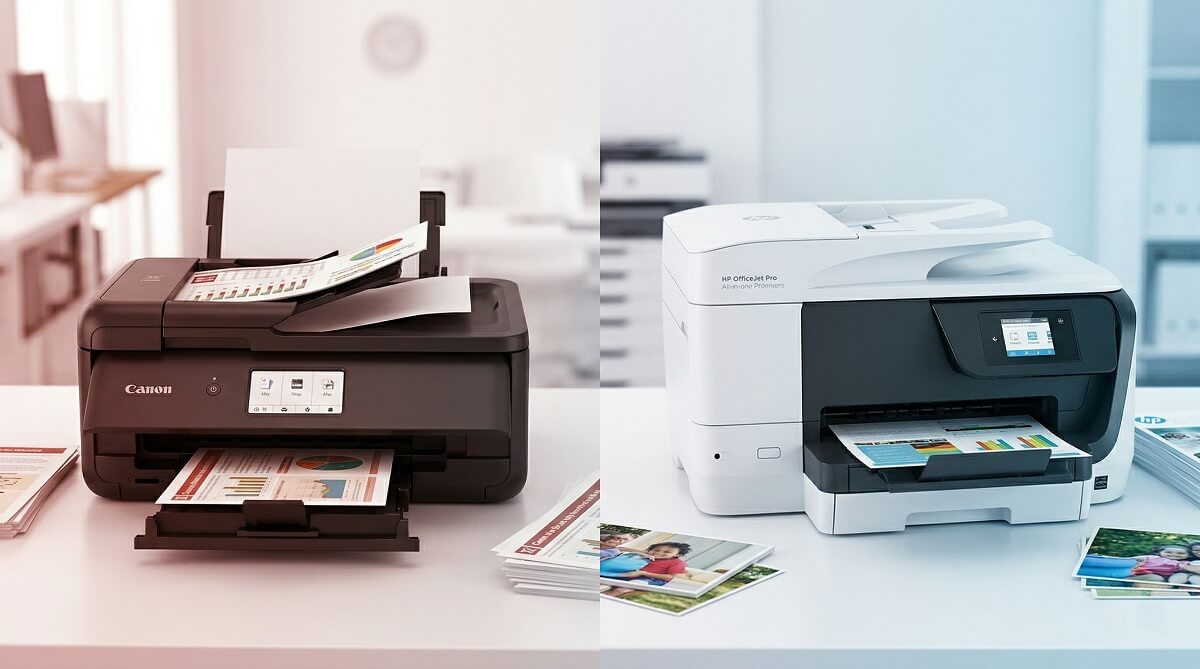
Canon tends to win on photo output, scan speed, and long-run ink costs — especially if you print in color. HP counters with more reliable text document results, a significantly better mobile app, and a subscription plan (Instant Ink) that keeps monthly printing expenses predictable. Neither brand is objectively better across the board; it comes down to what you print and how often you do it. Our printer buying guides break this down further by use case if you want a deeper look.
One thing worth addressing before you pick either brand: if you print fewer than 20 pages a week, a laser multifunction printer will almost certainly save you more money over time. Inkjet ink dries out between sessions, and a cartridge opened six months ago may be good for only a handful of pages. Toner doesn’t have that problem — it can sit unused for years and still deliver fine results. Keep that in mind as you work through this comparison.
Canon vs HP — Quick Decision Guide
✅ Choose Canon If:
- You print photos, artwork, or color-heavy documents regularly
- You want lower per-page costs, especially with high-yield or ink tank cartridges
- Fast scan and copy speeds matter to your workflow
- You plan to use compatible or third-party ink to reduce costs
❌ Skip Canon If:
- Your priority is printing crisp black-and-white documents with rock-solid consistency
- You rely heavily on a smartphone app to manage and trigger prints
- You print sporadically — consider a laser printer instead
✅ Choose HP If:
- You print mostly text documents and need steady, reliable output
- The HP Smart App and mobile integration are important to you
- HP Instant Ink’s predictable monthly cost suits your budget
- Your office needs HP’s enterprise security features (LaserJet line)
❌ Skip HP If:
- Photo performance is your top priority — Canon’s multi-ink system does better
- You plan to use third-party cartridges (HP’s firmware may block them)
- High-volume color printing is a regular need
Canon vs HP — Side-by-Side Comparison
Here’s the headline picture before diving into each category. Speed and ink cost figures come from Tom’s Guide’s lab testing across multiple models per brand. Prices reflect US retail as of March 2026 — check current figures at retailers before purchasing.
| Feature | Canon | HP |
|---|---|---|
| Best for | Photos & color | Text documents |
| Text print cost (standard cartridge) | ~8.3¢/page | ~9.2¢/page |
| Color print cost (standard cartridge) | ~21.1¢/page | ~23.3¢/page |
| Color print cost (high-yield cartridge) | ~10.9¢/page | ~18.5¢/page |
| Photo print performance | Excellent (natural colors, 5–6 ink systems) | Good (skews warmer) |
| Text print performance | Very good | Excellent (steady across models) |
| Fastest inkjet text speed | 9.8 ppm (Canon TS6020, Tom’s Guide) | 9.1 ppm (HP OfficeJet 4650, Tom’s Guide) |
| Average color copy speed | ~23.3 seconds | ~35.2 seconds |
| Mobile app | Canon PRINT (functional) | HP Smart App (industry-leading) |
| Ink subscription | Canon PIXMA Print Plan | HP Instant Ink |
| Third-party ink compatibility | Generally flexible | Firmware may block non-HP chips |
| Warranty (standard) | 1 year (GX series: 3 years) | 1 year |
| Entry-level all-in-one price | ~$80–$215 | ~$80–$230 |
Print Performance: Where Each Brand Actually Wins
Text and Document Printing
HP has the stronger track record for black-and-white text. Across most HP models — from the DeskJet budget line up through the OfficeJet Pro — output is sharp, steady, and water-resistant thanks to pigment-based black ink. You’re unlikely to be disappointed by HP text results regardless of which model you pick.
Canon is no slouch on text, particularly with higher-end PIXMA models. In Tom’s Guide’s testing, the Canon TS6020 produced what reviewers called “bookworthy text on high-quality paper.” That said, there’s more variation across Canon’s lineup at the budget end, where some models fell short in PDF print clarity. If your entire use case is business documents, HP’s consistency is worth the nod.
Photo and Color Printing
Photo work is where Canon holds a clear, structural edge. PIXMA models aimed at photo printing use 5- or 6-ink cartridge systems — typically adding a dedicated photo black or photo blue — which expands the color gamut and produces smoother gradients in skin tones and landscapes. Colors tend to look natural rather than oversaturated. See our printer reviews for specific model picks if you’re shopping by use case.
HP photo printers produce solid results, particularly in the ENVY line, but the output skews slightly warmer and can lack the tonal richness of a comparable Canon. For family photos, scrapbook prints, or any work where color accuracy matters, Canon is the practical pick.
Scanning Speed and Quality
Canon leads on scan speed by a significant margin. Per Tom’s Guide’s lab testing across multiple models, Canon all-in-ones completed a 600dpi color JPEG scan in an average of 49.2 seconds. HP models averaged 1 minute 31 seconds for the same task. Both brands produce high-resolution scans, but if you regularly digitize documents or photos, that difference compounds quickly over a busy workday.
The Real Cost: Ink, Subscriptions, and Long-Term Running Expenses
The sticker price on a printer is almost never the biggest line item in what you actually spend. For regular users, consumable costs over two or three years dwarf the original purchase. Here’s where the two brands shake out.
Standard and High-Yield Cartridges
With standard cartridges, Canon averages about 8.3 cents per text page versus HP’s 9.2 cents. For color pages, Canon comes in at roughly 21.1 cents versus HP’s 23.3 cents. Those gaps are modest at the standard tier.
Switch to high-yield cartridges and the difference becomes more pronounced — especially for color. Canon’s average color page cost drops to around 10.9 cents; HP’s drops to about 18.5 cents. If you print color regularly, that’s a meaningful gap over time. Per Tom’s Guide’s multi-model analysis, Canon’s TS6020 had the lowest color cost among all brands tested at 8.5 cents with its standard cartridges.
Ink Tank Printers: Canon GX Series vs. HP Smart Tank
Both brands offer tank-based models that skip cartridges entirely. You fill the tanks from ink bottles, cutting per-page costs dramatically and eliminating the cycle of frequent cartridge replacements.
Canon’s MAXIFY GX6021 is the business-focused tank option, with Canon stating under 2 cents per page for output. HP’s Smart Tank 7301 hits approximately 0.4 cents per page according to Consumer Reports testing — among the lowest available for a color inkjet — and comes with up to three years of ink in the box.
Both are strong picks for high-volume users. The HP Smart Tank 7301 wins on raw per-page cost; the Canon GX6021 offers faster print speeds for document-heavy environments. Check current pricing at Canon GX6021 on Amazon and HP Smart Tank 7301 on Amazon.
HP Instant Ink Subscription
HP’s Instant Ink subscription is genuinely useful for the right user. As of March 2026, plans range from $1.79/month (10 pages) up to $31.99/month (700 pages), with overage charges of $1.50 per additional 10–15 pages. The printer monitors ink levels and ships cartridges automatically before you run out.
The catch: you’re locked into HP cartridges, and ink you’ve already received may stop working if you cancel your plan. It’s a solid deal if your print volume is predictable and falls in the light-to-moderate range. For heavy color printing, buying high-yield cartridges outright may be the better financial move.
The Third-Party Ink Problem with HP
Planning to use compatible or third-party cartridges? This matters a lot. HP’s “Dynamic Security” system — enforced through automatic firmware updates — actively detects and blocks non-HP chips. As PCWorld has documented, users regularly encounter “Non-HP Chip Detected” errors after firmware updates, with newer 2026 models implementing hardware-level enforcement that’s harder to work around.
Canon’s approach is more permissive: PIXMA and MAXIFY models generally accept compatible cartridges without firmware-imposed blocking. If third-party ink is part of your cost strategy, Canon is the safer choice. Check our accessories guide for compatible cartridge recommendations.
Print Speed: Faster Than You’d Think, With a Clear Leader for Copies
For everyday document printing, neither brand will leave you waiting long. Canon’s fastest inkjet all-in-one hit 9.8 pages per minute (ppm) on text in Tom’s Guide testing; HP’s fastest clocked in at 9.1 ppm. Both are adequate for a home office or small team printing at moderate volumes.
The sharper difference shows up with copy jobs. Canon all-in-ones averaged 23.3 seconds for a color copy; HP models averaged 35.2 seconds. For a standalone copier task, that’s a noticeable gap. On photo printing, Canon’s TS6020 completed a letter-size glossy photo in 1 minute 54 seconds — HP’s Envy 5540 took 2 minutes 12 seconds.
App and Software: HP’s Clearest Win
HP’s Smart App is widely regarded as the best consumer printer app available. Setup typically takes a few minutes; from there you get wireless printing from iPhone, Android, or Windows, mobile fax, scan-to-email, and Instant Ink management — all from one interface. If you regularly print from your phone or tablet, HP makes the experience significantly smoother. Our how-to guides cover wireless printer setup if you run into connection issues.
Canon’s PRINT app handles the essentials — wireless printing, scanning, status checks — and works without drama. It lacks the feature depth and polish of HP Smart, though. Users who do most of their printing from a PC or Mac via USB won’t feel the gap much. Those who print frequently from mobile will notice it quickly.
Should You Get a Laser Printer Instead?
Sporadic printers should pay attention here. If your device sits on the desk mostly unused for days or weeks at a time, a laser multifunction printer is worth serious consideration. Toner is a powder, not a liquid — it doesn’t dry out between sessions, which makes it ideal for anyone who prints infrequently. An inkjet cartridge opened six months ago might be useless the next time you reach for it.
Both Canon and HP make capable laser MFPs in the $150–$250 range. Canon’s imageCLASS MF267dw II and HP’s LaserJet MFP M234dwe are solid entry points with wireless connectivity and print-scan-copy functionality. Toner cartridges for these machines typically yield 1,100–2,400 pages, bringing per-page costs well below most inkjet options for black-and-white text.
Compare prices: Canon imageCLASS MF267dw on Amazon | HP LaserJet M234dwe on Amazon.
Reliability and Warranty: What You Need to Know
Both brands offer a standard 1-year limited warranty on inkjet printers in the US, covering hardware defects under normal use. Canon’s MAXIFY GX series (the ink tank business line) is an exception — it carries a 3-year limited warranty, reflecting its positioning as a higher-duty device.
One area to watch with Canon: gray-market imports. Units manufactured for the Canadian market and sold into the US may not be registerable on Canon USA’s site, which can result in warranty claims being denied. If you’re purchasing through a third-party seller or marketplace, confirm the unit is a US-market model before completing the transaction.
HP’s LaserJet line has a long track record of durability in demanding office environments. At the inkjet level, entry-level HP models have drawn some criticism for build materials, while mid-range and OfficeJet Pro units tend to hold up better under daily use. As with any inkjet, running a test page at least once a week helps prevent nozzle clogs from dried ink.
Specific Models Worth Looking At in 2026
Best Canon All-in-One: Canon PIXMA TR8620a
Canon’s PIXMA TR8620a packs print, scan, copy, and fax into a compact home-office footprint, with a 5-ink cartridge system for photo results and a 20-sheet auto document feeder. US retailers priced it at roughly $150–$216 in early 2026. Verify the current figure at Amazon or Best Buy before purchasing.
Best HP All-in-One: HP ENVY Inspire 7955e
HP’s ENVY Inspire 7955e handles print, scan, copy, and two-sided printing with solid photo results and HP+ integration (Instant Ink eligible). It was available for $149.99 at Best Buy and $229.99 on Amazon in March 2026. Current pricing at Amazon or Best Buy.
Best Budget Option (Under $100): Canon PIXMA TS3522
For occasional printing without a heavy upfront investment, the Canon PIXMA TS3522 covers print, copy, and scan without fax. HP’s DeskJet 4155e is the comparable alternative. Both land under $80–$100 at major retailers — prices fluctuate, so check before you buy.
The Bottom Line: Who Should Buy Canon, Who Should Buy HP
Buy Canon if:
- You print photos regularly and want natural, accurate color
- You copy documents frequently and want faster throughput
- You’re planning to use compatible ink (Canon doesn’t block it with firmware)
- You want a lower ink cost over time, especially with high-yield cartridges
Buy HP if:
- Black-and-white document printing is your main use and reliability matters
- You print from your phone or tablet regularly and want the best mobile experience
- HP Instant Ink’s predictable monthly pricing fits how you work
- You want a laser MFP for the office — HP’s LaserJet line is hard to beat on durability
Buy neither (get a laser printer) if:
- You print fewer than 20 pages per week
- Your printer sits unused for days or weeks at a stretch
- You primarily need black-and-white document output
Frequently Asked Questions
Is Canon or HP better for photo printing?
Canon is the stronger pick for photos. PIXMA models use 5- or 6-ink cartridge systems that produce more natural color, smoother gradients, and better shadow detail than comparable HP inkjets. HP delivers acceptable photo results, but for photo-focused use, Canon’s multi-ink approach is the structural advantage.
Which brand has cheaper ink — Canon or HP?
Canon is generally more affordable per page. With standard cartridges, Canon averages 8.3¢/page for text versus HP’s 9.2¢. The gap is more pronounced with high-yield cartridges for color: Canon averages ~10.9¢/page versus HP’s ~18.5¢. For tank-based printers, both brands drop well below 2¢/page.
Is HP Instant Ink worth it?
It depends on how predictably you print. If you use 10–100 pages per month consistently, Instant Ink can save money over buying cartridges outright. Plans run from $1.79/month to $31.99/month. If you print sporadically or in large occasional batches, the plan may not match your pattern well. Note that ink you’ve received may stop functioning if you cancel the subscription.
Does HP block third-party ink cartridges?
Yes. HP’s Dynamic Security system uses firmware updates to detect and block non-HP chips, a practice that has become more aggressive on 2026 models. If you plan to use compatible or third-party ink, Canon is the more accommodating choice.
What’s the best Canon all-in-one printer right now?
The Canon PIXMA TR8620a is a well-rounded option for home and small office use, with fax, an auto document feeder, and a 5-ink system. For high-volume users who need ultra-low ink costs, the Canon MAXIFY GX6021 (ink tank) is worth the higher upfront investment.
What’s the best HP all-in-one printer right now?
The HP ENVY Inspire 7955e covers most home and office needs with solid photo results, two-sided printing, and HP+ integration. For office-heavy use, the HP OfficeJet Pro 9015e offers faster speeds and a more business-oriented feature set.
Should I get a laser printer instead of an inkjet?
If you print fewer than 20 pages a week or go long stretches without printing, yes. Toner doesn’t dry out between sessions, so sporadic printing is no problem. Both Canon (imageCLASS line) and HP (LaserJet line) make capable monochrome laser MFPs in the $150–$250 range with strong toner cost per page.
How do I stop inkjet ink from drying out?
Run a test page or short document at least once a week. This keeps ink moving through the nozzles and prevents clogs. Store the printer away from direct sunlight and in moderate humidity. Both Canon and HP include nozzle-check routines accessible from the printer menu or their respective apps.
Browse current prices and availability: ChubbytIps printer reviews | Canon printers on Amazon | HP printers on Amazon | All-in-one printers at Best Buy.
