


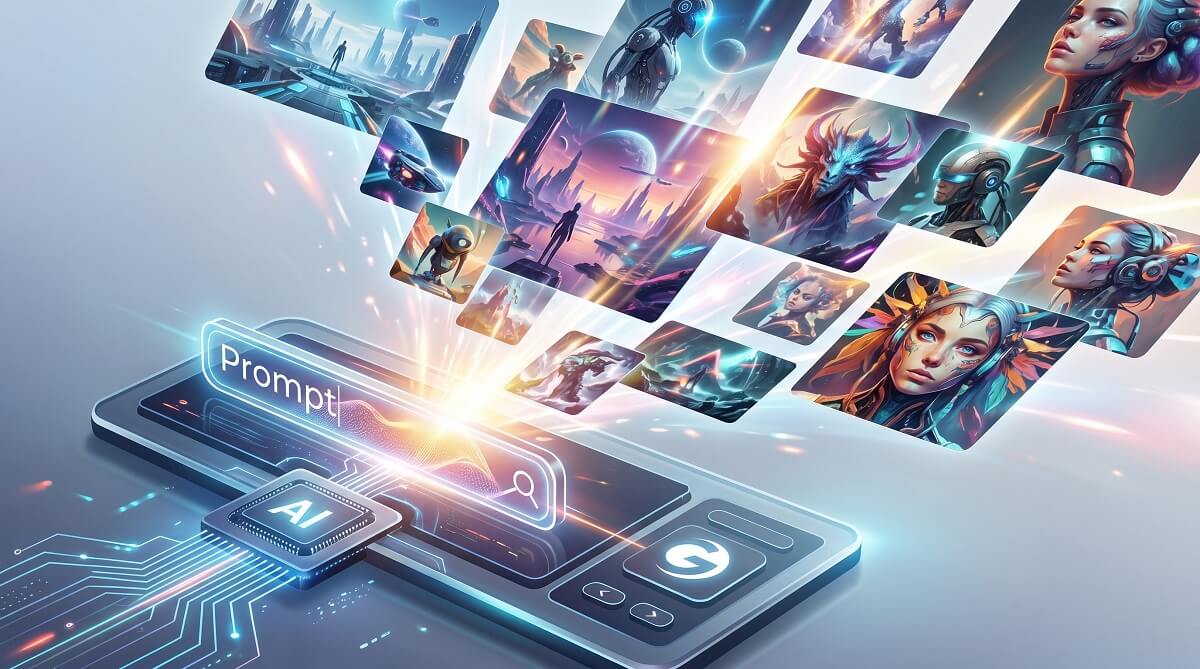
Gcore AI Image Generator is a no-cost, text-to-image tool built into the Gcore Cloud platform. Type a prompt, click generate, and you get AI-created visuals in seconds — with no watermarks and no generation limits for registered users. It runs on a fine-tuned version of the Openjourney model, trained on over 124,000 Midjourney images, giving outputs that Midjourney-adjacent aesthetic feel. If you’re already on Gcore’s platform or just want to experiment without handing over a credit card, this is a solid starting point. See our AI tools roundup for more options.
That said, it’s not a Midjourney replacement. The editing tools are still catching up, and every session starts completely fresh — there’s no memory of past prompts or pictures. Output quality sits comfortably in the “solid for a zero-cost tool” category rather than “professional production ready.” Knowing those tradeoffs upfront saves you disappointment later.
Quick verdict: Gcore AI Image Generator is a legitimate option at no charge — especially useful for Gcore users, developers who want API access, and anyone who needs quick concept visuals on a budget. Not the right pick if you need consistent photorealism or advanced fine-tuning controls.
Who Should (and Shouldn’t) Use Gcore AI Image Generator
✅ Best For
- Existing Gcore Cloud users who want image generation without switching platforms
- Developers and technical teams looking for an accessible AI image API at low entry cost
- Content creators needing quick concept visuals — mood boards, blog headers, social media graphics
- Designers doing rapid ideation or rough visual exploration
- Anyone curious about AI image generation who doesn’t want to spend money to try it
❌ Skip If
- You need photorealistic, publication-quality outputs consistently
- You want the broadest range of artistic styles (Midjourney and Stable Diffusion XL consistently outperform here)
- You prefer a standalone app that doesn’t require a cloud platform account
- You need session continuity — the generator has no memory between sessions
- Your workflow requires guaranteed production-grade uptime SLAs
What Is the Gcore AI Image Generator?
Launched in November 2023, Gcore’s AI Image Generator is a text-to-image tool embedded directly in the Gcore Cloud dashboard. You log in, navigate to the Image Generator section, type what you want to see, and the platform produces an output. No separate app, no subscription paywall — just a registered account, which costs nothing and requires no credit card. According to Gcore’s official blog, the tool is free and unlimited for registered platform users.
The tool has been updated since its original release. Gcore’s official blog post was last modified in August 2025, and the product page remains active. For a generator from a company primarily known for CDN, edge computing, and cloud infrastructure, it has had a longer runway than many expected when it launched.
The Technology: What’s Actually Running Under the Hood
The model powering Gcore’s generator is Openjourney — a version fine-tuned from Stable Diffusion v1.5, created by PromptHero and trained on more than 124,000 Midjourney-generated visuals across 12,400 training steps, according to PromptHero’s official model card on Hugging Face. That training data is what gives outputs their characteristic look: stylized, slightly painterly, with a Midjourney-adjacent aesthetic. Learn how to write better AI image prompts.
On the hardware side, Gcore runs this on Graphcore Bow IPU-POD clusters — not the standard GPU setup you’d find at most AI providers. IPUs (Intelligence Processing Units) handle specific types of parallel computation differently from GPUs, and Gcore’s implementation is optimized for rapid generative inference. In practice, pictures are produced in seconds.
Gcore also has NVIDIA L40S GPUs deployed for its broader Inference at the Edge infrastructure, which is part of why the company was named a Leader in the 2025 GigaOm Radar for AI Infrastructure. The image generator benefits from sitting inside a serious infrastructure operation — not a startup running on shared cloud compute.
How to Use the Gcore AI Image Generator
The setup takes a few minutes. Here’s the full process:
- Create a Gcore Cloud account — Go to gcore.com/cloud and register with an email address, Google account, or GitHub account. No billing information required.
- Log in and open the Image Generator — From the left-hand navigation panel in the dashboard, select “Image generator.”
- Enter a text prompt — Type your description into the prompt field. Be specific about what you want.
- Generate and save — Hit return. The picture appears in seconds. Download it directly, clean with no watermark.
Tips for Better Outputs with Openjourney
Openjourney’s behavior differs slightly from other models, and knowing a few things upfront saves you considerable trial and error.
First, the trigger word situation: older documentation (and some third-party guides) suggest adding “mdjrny-v4 style” to your prompts. That was required in version 1. In Openjourney v4 — which is what Gcore runs — you don’t need that trigger phrase. PromptHero’s official model card on Hugging Face explicitly states the trigger word is no longer necessary in v4.
Second, the model skews artistic by default. Trained on Midjourney outputs, it leans toward stylized, illustrative results rather than photorealism out of the box. To steer toward specific looks, add style descriptors:
- For realism: “photorealistic, DSLR quality, 8K, natural lighting”
- For illustration: “digital art, concept art, detailed illustration”
- For a specific medium: “oil painting, watercolor, pencil sketch”
- For atmosphere: “golden hour lighting, dramatic shadows, cinematic”
- For quality: “highly detailed, artstation trending, studio lighting”
The more specific you are about subject, style, lighting, and mood, the more usable your results will be on the first attempt.
Image Quality: An Honest Look
Openjourney produces results that hold up well in a specific range: stylized concept art, fantastical scenes, abstract visuals, character illustrations, and mood-board imagery. The training data — all Midjourney outputs — gives pictures a distinct feel that’s recognizable if you’ve spent time with Midjourney.
Where it struggles: photorealism, especially faces and hands (a well-known challenge across most open-source image models), and precise scene composition when you have specific layout requirements. Product photography, realistic portraits, or anything requiring tight compositional control will expose limitations quickly.
A 2026 review from Aizolo notes that editing and customization tools “are still evolving” — meaning granular in-painting, detailed masking, or the iterative refinement you’d get in Midjourney’s latest models or Adobe Firefly isn’t quite there yet. You create, evaluate, and regenerate rather than refine in place.
How Gcore Compares to Other AI Image Tools
A side-by-side look at Gcore versus the most common alternatives as of early 2026. See our full AI image generator comparison guide.
| Tool | Price | Model | Free Tier | Login Required | API | Best For |
|---|---|---|---|---|---|---|
| Gcore AI Image Generator | Free (registered users) | Openjourney (SD v1.5) | Yes — unlimited | Yes (no credit card) | Yes (pay-as-you-go) | Gcore users, developers, budget creators |
| Midjourney | $10–$120/month | Proprietary MJ v6 | No | Yes (Discord) | Limited | Best-in-class artistic quality |
| DALL-E 3 (ChatGPT) | Free tier / $20/month (Plus) | DALL-E 3 | Yes (limited) | Yes | Yes (OpenAI API) | Photorealism, prompt accuracy |
| Adobe Firefly | Free tier / Creative Cloud sub | Firefly | Yes (credits) | Yes (Adobe ID) | Yes | Commercial-safe, Adobe workflow integration |
| Bing Image Creator | Free | DALL-E 3 | Yes | Yes (Microsoft account) | No | Quick free generations with DALL-E 3 quality |
| Stable Diffusion (local) | Free (hardware cost) | SDXL / SD 3 | N/A | No | Self-hosted | Full control, no limits, power users |
The most direct comparison for purely zero-cost use is Bing Image Creator — it runs DALL-E 3 (sharper photorealism) and requires only a free Microsoft account. Gcore’s edge is its developer-friendly API and no-credit-card signup, plus the fact that it sits inside a platform many cloud developers are already using.
Midjourney is the quality benchmark, but at $10–$120 per month with no free tier as of 2026, the cost gap between Gcore and Midjourney is meaningful. For casual use or early-stage concept work, that gap matters quite a bit.
Features: What’s Confirmed and What’s Still Coming
Gcore outlined an ambitious feature roadmap when the platform went live in 2023. Three years on, some of those items have shipped, others remain works in progress:
What’s Working
- Text-to-image generation — Core capability, working as described. Unlimited outputs for registered users at no charge.
- No watermarks — Pictures download clean with no platform branding applied.
- Batch generation — Supported, useful for producing multiple variations from a single prompt session.
- Developer API — Available with pay-as-you-go pricing and volume discounts for enterprise use. Teams can integrate Gcore’s generation capabilities into their own applications. Check Gcore’s official developer documentation for current API pricing tiers.
- Multiple style support — Various output aesthetics achievable through prompt engineering.
Still Evolving
- Advanced image editing — In-painting, masking, and granular refinement tools are still catching up to competitors, according to Aizolo’s 2026 review.
- Image-to-image generation — Originally on the roadmap; confirmation of full feature availability is pending from official Gcore documentation.
- Session memory — Currently absent. Each session is stateless — the model has no recollection of previous prompts or outputs.
Is Gcore a Trustworthy Platform?
A reasonable thing to ask — Gcore isn’t a household name for most consumers. But it’s a legitimate, established infrastructure company: founded in 2014, headquartered in Luxembourg, with over 600 staff across 10 offices globally. The company’s primary business is enterprise cloud services, CDN, edge networking, and DDoS protection — AI art is a secondary offering.
That context cuts both ways. The upside: Gcore’s image generator runs on serious, dedicated infrastructure (210+ CDN PoPs, 50+ cloud locations, 200+ Tbps network capacity) rather than oversubscribed shared compute. The downside: AI image generation isn’t their core product. That’s likely why the editing feature roadmap has moved slowly relative to dedicated AI art platforms.
The service is GDPR-compliant, and commercial usage rights appear to be included — though you should review Gcore’s current terms of service directly at gcore.com/legal before putting generated outputs into commercial projects, since terms can update. Browse more software reviews on ChubbytIps.
Frequently Asked Questions
Is Gcore AI Image Generator completely free?
Yes. For registered Gcore Cloud users, image generation is free with no generation limits and no credit card required. You sign up with an email address, Google account, or GitHub account. If you need API access for developer integrations, that runs on a pay-as-you-go pricing model — check Gcore’s documentation for current rates.
Do I need to sign up to use Gcore’s image generator?
Yes, a Gcore Cloud account is required. Registration is free and takes a couple of minutes. You won’t be asked for payment information to access the basic generation tool.
What AI model does Gcore use for image generation?
Gcore uses Openjourney — an open-source model by PromptHero that’s a fine-tuned version of Stable Diffusion v1.5, trained on over 124,000 Midjourney-generated pictures. That’s why outputs carry that recognizable Midjourney-style aesthetic. Gcore runs a customized version of this model on their IPU infrastructure.
How does Gcore’s image generator compare to Midjourney?
Midjourney produces higher-quality outputs across a wider range of styles — especially for photorealism and complex compositions. But Midjourney costs $10–$120 per month with no free tier. Gcore costs nothing. If output quality is your only metric, Midjourney wins. For concept work, brainstorming, or budget content creation, Gcore is a practical choice.
Can I use Gcore-generated images commercially?
Commercial usage rights are included based on available information, but confirm via Gcore’s current terms of service at gcore.com/legal before using outputs in commercial projects. Licensing conditions can change, and the official documentation is always the authoritative source.
Is there a developer API for Gcore AI Image Generator?
Yes. Gcore offers a Developer API with pay-as-you-go pricing and volume discounts for enterprise users who need to integrate AI image generation into their own applications or pipelines. Check Gcore’s official developer documentation for current pricing and rate limits.
What are the best free alternatives to Gcore AI Image Generator?
A few worth knowing: Bing Image Creator runs DALL-E 3 and is free with a Microsoft account — it generally produces sharper photorealistic results. Adobe Firefly has a free tier with monthly generation credits and is built with commercial use in mind. For maximum control and no limits, running Stable Diffusion locally via tools like ComfyUI or Automatic1111 is free (hardware cost aside). Explore more buying guides on ChubbytIps.
Does Gcore AI Image Generator support image-to-image editing?
Image-to-image generation was on Gcore’s original 2023 roadmap. As of early 2026, editing and customization tools are still catching up, per independent reviews. Check Gcore’s current dashboard for the latest — capabilities have expanded since the initial release.
What prompt style works best with Gcore’s Openjourney model?
Be descriptive and specific. Include style references (e.g., “digital art, cinematic lighting, cyberpunk aesthetic”), a clear subject, mood, and quality modifiers (“highly detailed, 8K, artstation”). The old “mdjrny-v4 style” trigger word is not needed — Openjourney v4 accepts natural prompts without it, per PromptHero’s model documentation.
Ready to Try It?
To test Gcore AI Image Generator yourself, create a free account at gcore.com/cloud — no credit card, no subscription. Setup takes a few minutes and you can start producing images immediately.
If Gcore isn’t the right fit, Bing Image Creator (zero-cost, DALL-E 3 quality) and Adobe Firefly’s free tier are both worth trying before committing to a paid platform. And if you’re ready to go deeper, our full AI image generator comparison covers the field with side-by-side breakdowns.
