


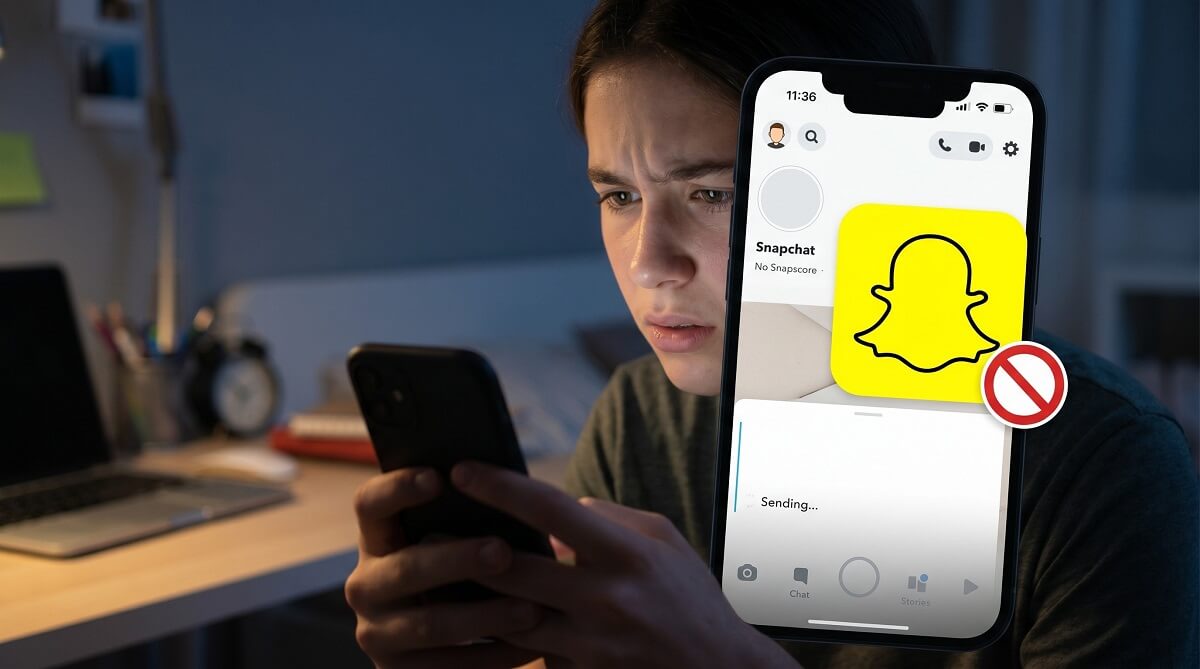
Snapchat won’t send you any notification when someone blocks you. There’s no alert, no message — nothing. The only way to find out is to check for specific signals yourself: search for their username, look at your chat history, and if you’re still not sure, try searching from a different account. That last step is the most reliable confirmation you’ll get.
Before you start, know that there’s an important difference between being blocked, being removed from someone’s friends list, and someone having deleted their account entirely. Each scenario looks slightly different, and jumping to conclusions without checking all three possibilities is easy to do. We’ll cover how to tell them apart.
Here’s everything you need to know, based on Snapchat’s official support documentation.
Blocked, Removed, or Deleted? — Quick Answer Guide
✅ You’ve Likely Been BLOCKED If:
- Their username doesn’t appear when you search from your account
- Their profile does appear when a friend (or a second account) searches for them
- You can no longer see their stories or Snap Score
- Any message you send stays permanently “Pending”
- Your previous chat history has disappeared from your conversations tab
⚠️ You’ve Likely Been REMOVED (Not Blocked) If:
- Their username still shows up when you search
- You can view their public profile
- Messages go “Pending” because they haven’t re-added you yet
- You can still see their public stories (if set to “Everyone”)
❌ Their Account May Be DELETED If:
- Nobody can find them — not you, not mutual friends, not a second account
- The profile doesn’t appear in search anywhere
Why Snapchat Doesn’t Tell You When Someone Blocks You
Snapchat deliberately keeps blocks quiet. According to Snapchat’s official support page on blocking, “they receive no notification about being blocked.” The person who blocked you won’t get a heads-up either — it’s mutual silence by design.
This is consistent with how most major apps handle blocks. Instagram, Twitter, and Facebook all operate the same way. The thinking is that forcing someone to receive a notification about being blocked would only escalate conflict rather than defuse it.
What this means for you: you need to look for indirect clues, not wait for an official message. The five methods below walk you through exactly where to look.
5 Ways to Check If Someone Blocked You on Snapchat
1. Search for Their Username
This is the first check most people try, and it’s a reasonable starting point.
- Open Snapchat and tap the magnifying glass icon at the top of the screen
- Type their full username or display name
- If no result appears: that’s a signal — but not confirmation on its own
A missing result means they could have blocked you, deleted their account, or changed their username. You can’t know for sure from this step alone. That’s where the next checks come in.
Quick tip: If their name does show up but looks different (no Snap Score visible, can’t tap “Add”), you’ve likely been removed from their friends list rather than blocked.
2. Look Through Your Chat History
Your conversation tab is one of the more telling places to look.
- Tap the chat bubble icon at the bottom left of the camera screen
- Look through your recent conversations for their name
- If they’ve disappeared entirely: that points toward a block
- If you can still see them: tap their name and try sending a message
What the response tells you:
- “Pending” for hours or days: They’ve removed you from their friends list. Your message is sitting in limbo until they add you back.
- “Failed to send” or send error: You may have been blocked.
- Message delivers normally: You’re probably not blocked.
One caveat: a bad WiFi connection can mimic a failed send. Rule that out before drawing any conclusions — try sending over mobile data if you’re unsure.
3. Scan Your Friends List
If you had them added as a contact, this is worth a quick look.
- Tap your profile icon in the top left corner
- Tap My Friends
- Search for their name in the list
Not there? They’ve either blocked you or removed you. Still there but interactions are failing? A privacy setting change may be the culprit — for example, if they’ve set their stories to “My Friends Only” and removed you, it can look like a block at first glance.
4. Try to View Their Snap Score
Snap Score is only visible to mutual friends — people who have added each other on Snapchat. If you can no longer see it, that’s a sign the friendship is no longer mutual.
- If their profile still appears in search, tap to open it
- Look for their Snap Score below their display name
- Score not visible? They’ve removed you — or blocked you
This check works best alongside the username search. If you can find their profile but can’t see the Snap Score, you’ve been removed from their friends list but not necessarily blocked.
5. Search from a Different Account (The Definitive Test)
Nothing beats this for actual confirmation — and most people either forget or skip it.
- Ask a mutual friend to search for the person’s username from their own Snapchat account
- Or: sign out of your account and create a temporary new Snapchat account to search
- If their profile shows up on the other account but not on yours: you’ve been blocked
- If their profile shows up nowhere: their account was deleted
This is the definitive test because it rules out the “account deleted” possibility. A block is account-specific — it only makes you invisible from that particular person’s perspective, not from everyone’s.
Blocked vs. Removed vs. Deleted — Side-by-Side Comparison
No competitor article puts this in one place clearly, so here’s a direct comparison:
| What You Experience | Blocked | Removed from Friends | Account Deleted |
|---|---|---|---|
| Username appears in your search | ❌ No | ✅ Yes | ❌ No |
| Username appears on a friend’s search | ✅ Yes | ✅ Yes | ❌ No |
| Can see their Stories | ❌ No | Only if set to “Everyone” | ❌ No |
| Can see their Snap Score | ❌ No | ❌ No | ❌ No |
| Messages deliver | ❌ Fail / Pending | ⚠️ Pending until re-added | ❌ Fail |
| Chat history visible to you | ❌ Hidden | ✅ Still visible | ❌ Gone |
| You received a notification | ❌ No | ❌ No | ❌ No |
What Else Changes When Someone Blocks You on Snapchat
Beyond the obvious — they disappear from search and you can’t message them — blocking has a few other effects worth knowing about.
Your Chat History Disappears (But Isn’t Gone Forever)
When someone blocks you, your previous conversations with them vanish from your chat tab. But according to Snapchat’s official support documentation, that chat history isn’t actually deleted — it’s just hidden. If they unblock you later, the conversation history becomes accessible again.
Snap Map Goes Dark
If that person was sharing their location with you on Snap Map, that access disappears the moment they block you. Their pin on the map won’t show up, and you won’t appear on their map either. This is one of the less-known effects of a block, and Snapchat confirms it directly: “Your Snap Map location also becomes hidden from them.”
Streaks Are Lost
If you had an active Snap streak with this person, blocking ends it. Multiple independent sources confirm this, and the logic checks out — a streak requires daily snaps between two users, which isn’t possible once a block is in place. Streaks don’t survive a block, and they don’t automatically restore if the person unblocks you later.
Group Chats Are Mostly Unaffected
Here’s something that surprises people: being blocked doesn’t remove either of you from any shared group chats. You can both still see messages posted to those groups. The block only prevents direct, one-on-one snaps and chats. It’s an easy thing to overlook when you’re trying to figure out what’s happening.
Their Public Content Is Still Visible to You
Most guides get this wrong: a block isn’t total invisibility in every direction. According to Snapchat’s official documentation, blocked users can still see the blocker’s public Spotlight content and Public Stories — content intentionally shared with everyone, not just friends. So if they post publicly, you may still see it. The block specifically cuts off the personal, friend-to-friend access.
Can You Report Someone Who Blocked You on Snapchat?
Yes — and this is worth knowing if you’re dealing with harassment. The in-app report button won’t work for someone who has you blocked, but you’re not out of options.
According to Snapchat’s official support article on this exact scenario: “If another user has blocked you, you won’t be able to report them in the app. However, if you believe someone has shared inappropriate or harmful content involving you or someone else — even if they’ve blocked you — you can still report their account on our support site: help.snapchat.com.”
So if you need to file a report, go directly to help.snapchat.com and use the web-based reporting form. The block doesn’t protect them from accountability.
What to Do After Confirming You’ve Been Blocked
Once you’ve confirmed the block, your options are limited — and that’s intentional. Snapchat doesn’t give you a way to override someone’s decision to block you. You can’t force a re-add or bypass the block. For other privacy-related questions across your apps, our cover common scenarios step by step.
- If it was a mistake: Reach out through another channel — text, email, or in person. People do accidentally block contacts, especially when cleaning up their friends list.
- If it was intentional: That’s a clear signal about where things stand. Respecting that decision is usually the healthier path forward.
- If you want to block them back: You can — go to Settings, scroll to the Blocked section, or find their account via a separate search and block from there.
- If you need to report them: Use help.snapchat.com as described above.
One thing worth keeping in mind: blocking is a standard, accessible feature of the app. It doesn’t always carry the dramatic weight that people assign to it. Sometimes people block broadly when they want a clean slate on social media — it’s not always personal.
Frequently Asked Questions
Does Snapchat notify you when someone blocks you?
No. According to Snapchat’s official support documentation, the person you block receives no notification. You’ll need to look for indirect signals — like a missing profile in search or a disappearing chat history — to find out.
What’s the difference between being blocked and being removed on Snapchat?
When you’re blocked, the person’s profile disappears from your search entirely, your messages can’t go through, and your chat history hides from you. When you’re removed from their friends list, their profile may still appear in search, but messages go “Pending” until they re-add you. The second account test is the clearest way to tell the two apart. See our for related tips on other platforms.
Can someone see my public Snapchat content if I’ve blocked them?
Yes — Snapchat’s official docs confirm that blocked users can still see your public Spotlight posts and Public Stories. A block cuts off friend-to-friend access, not public content. If you want to prevent someone from seeing your public posts too, you’d need to adjust your privacy settings separately.
What does “Pending” mean on Snapchat?
“Pending” means your message or snap was sent from your side but hasn’t been received yet. This usually happens when the other person hasn’t added you as a friend — or has removed you from their contacts. It’s different from a flat-out send failure, which is more commonly associated with a block.
What happens to my chat history if someone blocks me?
Your conversation disappears from your chat tab when someone blocks you. However, Snapchat doesn’t delete it — it’s hidden rather than erased. If they unblock you at some point, the prior conversation becomes visible again.
Does a Snapchat streak end if someone blocks you?
Yes. Blocking cuts off the daily snap exchange required to maintain a streak, and the streak is lost. It won’t automatically restore if they unblock you later — you’d need to rebuild it from scratch.
Can you tell if someone blocked you without using a second account?
Partially. Several signals point toward a block — missing username in search, disappeared chat history, failed messages, invisible Snap Score. But none of those alone rules out a deleted account. The second account search is the only method that definitively separates “blocked” from “account deleted.”
Can you report someone on Snapchat if they’ve blocked you?
Yes. In-app reporting won’t work when you’re blocked, but you can still file a report through Snapchat’s website at help.snapchat.com. Snapchat confirms this is available for cases involving inappropriate or harmful content, even when the reported user has blocked you.
Still have questions about Snapchat or other apps? Browse more how-to guides at , or check out our for more practical guides.
