


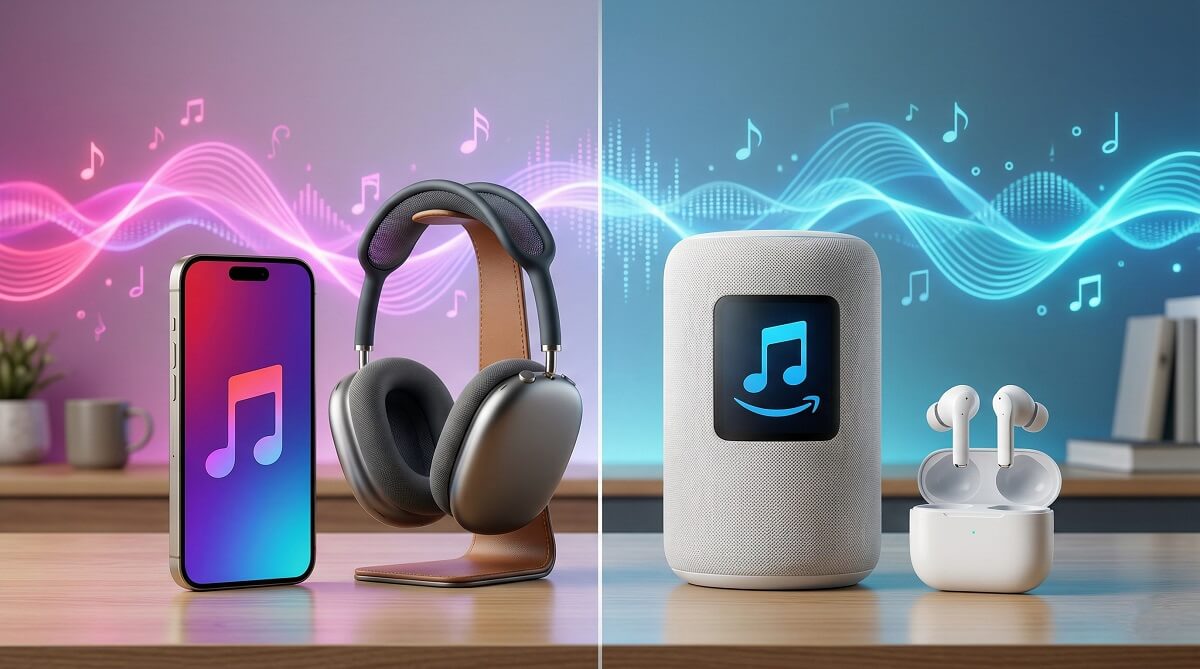
Short answer: if you own an iPhone, iPad, or Mac, Apple Music is the stronger pick. If you already pay for Amazon Prime and use Echo devices, Amazon Music Unlimited is hard to beat on value. Both services stream over 100 million songs in lossless audio with Dolby Atmos support — the differences that actually matter come down to your devices, your listening habits, and how much you’re willing to spend.
There’s one thing worth flagging upfront: Amazon raised its Unlimited prices in February 2026. Prime members now pay $11.99/month — putting Amazon Music Unlimited above Apple Music’s $10.99/month individual rate for the first time. That pricing flip changes the value calculation, and it’s the main reason this comparison looks different heading into 2026 than it did a year ago. Browse more audio guides on ChubbytIps.
We’ll walk through pricing, sound quality, app experience, ecosystem fit, and a few factors that rarely get enough attention — like how much each service actually pays the artists you’re listening to.
Apple Music vs Amazon Music: At a Glance
| Feature | Apple Music | Amazon Music Unlimited |
|---|---|---|
| Individual price | $10.99/month | $11.99/month (Prime) · $12.99/month (non-Prime) |
| Student price | $5.99/month | $5.99/month |
| Family plan | $16.99/month (up to 6) | $21.99/month (up to 6) |
| Free tier | No | Yes (shuffle-only, with ads) |
| Free trial | 1 month (up to 3 months with eligible Apple device purchase) | 1 month standard (promotional offers vary) |
| Song library | 100M+ | 100M+ |
| Lossless audio | Yes — all paid plans | Yes — Unlimited only |
| Dolby Atmos / Spatial Audio | Yes | Yes |
| Personal music upload | Up to 100K tracks via iCloud | Limited |
| Podcasts in-app | No (separate Apple Podcasts app) | Yes |
| Voice assistant | Siri | Alexa (native on Echo devices) |
| Best for | Apple ecosystem users, audiophiles, iCloud music library | Amazon Prime members, Alexa users, Android listeners |
Who Should Choose Each Service
Pick Apple Music if…
- ✅ You own an iPhone, iPad, Mac, HomePod, or Apple Watch — the integration is noticeably tighter
- ✅ You want Dynamic Head Tracking spatial audio (requires AirPods Pro, AirPods Max, or newer AirPods + iPhone)
- ✅ You have a personal music library you want to keep — iCloud Music Library lets you upload up to 100,000 tracks and access them across all your Apple devices
- ✅ You care about the editorial side — Apple Music 1 radio, curated playlists by actual music editors, and exclusive live sessions
- ✅ Artist compensation matters to you — Apple pays roughly $0.007–$0.01 per stream, among the highest rates of any major platform
Pick Amazon Music Unlimited if…
- ✅ You already subscribe to Amazon Prime — even at $11.99/month, the add-on makes practical sense given what Prime already costs
- ✅ You use Echo speakers or Alexa devices — the hands-free voice control is genuinely useful and not matched by Apple
- ✅ You want music and podcasts in one app — Amazon Music includes 800,000+ podcast titles via its Audible partnership, no separate app needed
- ✅ You’re on Android and not invested in Apple’s platform
- ✅ You want to test the waters for free — Amazon’s shuffle tier lets you hear the full catalog before spending a dollar
Skip both if…
- ❌ You’re a casual listener — Spotify’s free tier or Amazon’s shuffle mode may be enough without paying for Unlimited
- ❌ You want the absolute ceiling for audio quality — Tidal HiFi or Qobuz Studio go further with MQA and studio master files
Pricing — What’s Changed and What It Now Costs
Apple Music’s rates have been stable since October 2022. The individual plan runs $10.99/month, students pay $5.99/month, and the family plan (up to six accounts) is $16.99/month, according to Apple’s official pricing page. New subscribers get one month free, and purchasing certain Apple audio devices — like AirPods or a HomePod — can extend that to three months.
If you’re already paying for Apple TV+, Apple Arcade, or iCloud+, the Apple One bundle is worth considering. According to Apple’s Apple One page, the Individual tier ($19.95/month) covers Apple Music, Apple TV+, Apple Arcade, and 50GB of iCloud+. The Family tier ($25.95/month) extends that to six users with 200GB of shared storage. At the Premier level ($37.95/month), you also get Apple News+ and Apple Fitness+. Depending on your current subscriptions, the bundle can cut your monthly total noticeably. See more subscription buying guides on ChubbytIps.
Amazon Music Unlimited went through a price increase that took effect in February 2026 for new subscribers. Prime members now pay $11.99/month — a dollar more than Apple Music’s individual rate. Non-Prime members pay $12.99/month. The family plan climbed to $21.99/month. Students on both platforms pay the same: $5.99/month.
That price gap on the family plan — $16.99 for Apple vs $21.99 for Amazon — is significant if you’re covering multiple people. Apple Music is now cheaper for families by $60 per year.
Amazon does have one thing Apple doesn’t: a free tier. It’s shuffle-only with ads, but it gives you access to the 100M+ catalog without any upfront cost. For casual listeners, that might be enough.
Sound Quality — More Equal Than You’d Think
Both platforms offer lossless audio up to 24-bit/192kHz at no extra charge — what Amazon labels “Ultra HD” and Apple calls “Hi-Res Lossless.” For CD-quality listening (16-bit/44.1kHz), you’re covered on either service. Either way, you’re getting better-than-Spotify audio by default. If you want the full breakdown on what lossless audio actually means for your listening setup, ChubbytIps has you covered.
Where the two diverge is on spatial audio. Apple Music’s Dynamic Head Tracking adjusts the sound field as you physically move your head — it’s impressive in practice, but only works with an iPhone and compatible AirPods (AirPods Pro, AirPods Max, or newer generations). On Android or with third-party headphones, you get standard Dolby Atmos without head tracking.
Amazon supports Dolby Atmos and Sony 360 Reality Audio, but both are significantly hardware-constrained. Dolby Atmos on headphones works across a wide range of devices, but full 360 Reality Audio playback is limited to the Amazon Echo Studio and select Sony RA-series speakers. In practice, Apple gets you immersive audio on your everyday AirPods. Amazon requires more specific equipment for the equivalent experience, as Tom’s Guide’s head-to-head testing confirmed.
One practical note: to actually hear the difference between HD and Ultra HD audio, you need headphones or speakers capable of resolving it. On standard earbuds or laptop speakers, the gap is negligible. If you’re serious about audio quality, either service is a solid upgrade from Spotify — and if you truly want the audiophile ceiling, Tidal or Qobuz offer master-quality tracks that go beyond what either platform provides.
Music Library — Catalog Parity, but Apple Has the Edge on Extras
At 100 million+ tracks apiece, you’ll find the same albums and artists on either platform. Exclusive album releases have largely faded as a differentiator — the same new drop from a major artist lands on both services on release day. Choosing between them based on catalog alone isn’t a meaningful distinction.
Apple Music pulls ahead on editorial and exclusive content. The platform has invested in artist interviews, live sessions recorded specifically for the service, and radio programming anchored by Apple Music 1 (hosted by Zane Lowe and others). If you want to follow music culture — not just queue albums — Apple feels more alive as a service.
Apple’s other meaningful edge: iCloud Music Library. Upload up to 100,000 tracks from your personal collection, and they sync across every Apple device signed into your account. If you have ripped CDs, purchased downloads, or rare recordings that aren’t on any streaming service, this feature alone can justify the subscription. Amazon’s personal music upload capability exists but is far less polished and integrated.
Amazon counters with podcast access and audiobooks. The Amazon Music app includes over 800,000 podcast titles through its Audible partnership, alongside the music catalog — no app-switching required. If you’d rather keep everything in one place, that’s a genuine convenience advantage.
App Experience and Music Discovery
Apple Music’s interface is clean and well-organized. During first-run setup, it asks you to pick your favorite genres and artists — this initial calibration makes a real difference in how relevant early suggestions feel. The “Listen Now” section surfaces new releases, recommended albums, and stations based on your history. It’s not flawless, but it rarely feels random.
Amazon Music’s app is functional but visually busier. The “My Discovery Mix” playlist updates weekly to mixed reviews — some subscribers find it useful, others find the picks repetitive. The “X-Ray” feature (artist trivia and lyrics during playback) is well-executed, and DJ Mode — which adds celebrity host commentary to curated playlists — is a fun differentiator if that appeals to you.
One category where Amazon has the clear edge: hands-free listening. If you use an Echo speaker or have Alexa built into your car, asking “Alexa, play jazz” and having it queue correctly is genuinely effortless. Apple Music’s Siri integration is solid on Apple devices, but Alexa’s reach into third-party speakers and home appliances is broader. ChubbytIps has a guide to the best Alexa-compatible speakers if you’re building out a setup.
Both apps are available on iOS, Android, Windows, and macOS, and both work in a browser. Apple Music also runs natively on Apple TV 4K, Apple Watch, and HomePod. Amazon Music covers Fire TV, Echo speakers, and supports Alexa Auto for in-car listening.
Device Compatibility — It Usually Comes Down to What You Already Own
Your existing hardware is often the deciding factor. On an iPhone, Apple Music is genuinely invisible — always present, syncing playlists across your devices, working with CarPlay without any configuration. The iCloud Music Library ties your personal collection into that same system so it travels everywhere.
Amazon Music’s equivalent is its Echo environment. If your home runs on Alexa — Echo speakers, a Fire TV Stick, smart displays — Amazon Music becomes the natural audio layer for your home. You can set it as the default music service on your Echo devices and manage it entirely by voice.
Both platforms support Apple CarPlay. Apple Music is a first-party app with full CarPlay functionality. Amazon Music also works with CarPlay but comes with one notable limitation: you can’t use Siri to request a specific Amazon Music song by name. Song requests go through the Amazon Music interface rather than Siri directly. For iPhone drivers who rely on voice commands, that’s a meaningful difference.
Neither service requires you to own the parent company’s hardware. But if you’re starting from scratch with no ecosystem preference, the device question is less a technical one and more about which voice assistant you want managing your home.
Artist Pay — If Supporting Musicians Matters to You
This doesn’t change your listening experience directly, but it’s a factor worth understanding before committing. Apple Music pays artists approximately $0.007 to $0.01 per stream — consistently among the highest rates of any major platform. Amazon Music pays roughly $0.004 per stream, putting it toward the lower end of the major services.
The reason Apple’s rate is higher comes down to subscriber math: every Apple Music listener is on a paid plan. There’s no ad-supported shuffle tier dragging the per-stream average down. Amazon’s free and Prime shuffle tiers dilute the pool of paying subscribers, which pulls the average payout lower.
For context: an independent artist earning 1 million streams takes home roughly $7,000–$10,000 on Apple Music and around $4,000 on Amazon Music. That gap matters for working musicians. If putting money toward the artists you actually listen to is a priority, Apple Music makes the stronger case on this front.
These are widely cited industry averages from RouteNote and LabelGrid as of 2025–2026. Actual payouts vary by region, plan type, and distribution deal.
Frequently Asked Questions
Is Amazon Music the same as Amazon Prime Music?
No — and this trips up a lot of people. Amazon Prime Music comes bundled with a Prime subscription and gives you access to roughly 2 million songs in shuffle-only mode. Amazon Music Unlimited is a separate paid add-on ($11.99/month for Prime members as of March 2026) that unlocks the full 100M+ library with on-demand playback. If you can only shuffle and the catalog feels limited, you’re on Prime Music, not Unlimited.
Can I use Apple Music on Android?
Yes. Apple Music has a full Android app with access to lossless audio, Dolby Atmos, curated playlists, and Apple Music 1 radio. What you lose: Dynamic Head Tracking spatial audio (iPhone + compatible AirPods only) and Siri voice control. The app works well, but Android users don’t get the same tight fit that iPhone owners do.
Can I use Amazon Music on an iPhone?
Yes. Amazon Music has a full iOS app that works with Apple CarPlay. The one catch: you can’t use Siri to request specific Amazon Music songs by name. You can control playback through the Amazon Music CarPlay interface, but Siri won’t pull up a specific track on command.
Does Amazon Music have lossless audio?
Yes — on the Unlimited plan. Amazon Music Unlimited includes HD (CD-quality, 16-bit/44.1kHz) and Ultra HD (hi-res up to 24-bit/192kHz) audio at no extra charge. The free tier and Amazon Prime Music shuffle tier do not include lossless. You need the paid Unlimited subscription.
Which is better for audiophiles?
Both top out at 24-bit/192kHz — the same hi-res ceiling. Apple’s Dynamic Head Tracking is the more impressive spatial audio experience, but it requires an iPhone and AirPods Pro or Max. For straight hi-res streaming, the two platforms are essentially matched. If you want the true audiophile ceiling, look at Tidal or Qobuz, which offer master-quality tracks that go beyond what Apple and Amazon provide.
Does Apple Music have a free plan?
No. Apple Music has no free tier. New subscribers get a one-month trial (sometimes extended to three months with an eligible Apple device purchase like AirPods or a HomePod), then pay $10.99/month for the individual plan. Amazon Music is the service that offers a free shuffle tier — ad-supported, shuffle-only, but free.
Which family plan is better value?
Apple Music’s family plan ($16.99/month, up to 6 users) is $5/month less than Amazon Music Unlimited’s family plan ($21.99/month, same 6 users) — that’s $60/year. Both plans give each member a separate account with individual playlists and recommendations. For households, Apple Music is now the better deal by a clear margin.
Can I upload my own music to Apple Music or Amazon Music?
Apple Music: yes, via iCloud Music Library. Upload up to 100,000 personal tracks — ripped CDs, purchased downloads, anything — and access them across all your Apple devices. It’s particularly useful for music that isn’t on any streaming service. Amazon Music’s personal upload capability is more limited and less well-integrated into the main app.
The Bottom Line
Apple Music takes the win on interface quality, artist pay rates, Dynamic Head Tracking, iCloud Music Library, and family plan pricing. Amazon Music Unlimited wins on Alexa integration, having podcasts built into the same app, and being a natural extension of an existing Amazon Prime relationship.
The simplest decision rule: what phone do you use and what speaker is sitting on your counter? iPhone and HomePod — Apple Music. Android and Echo — Amazon Music. iPhone and Echo — it’s closer than it looks, but Apple Music’s lower family plan price and superior spatial audio probably tip it.
Try both before committing — free trials are available from Apple Music and Amazon Music Unlimited. See more streaming service reviews on ChubbytIps.
